
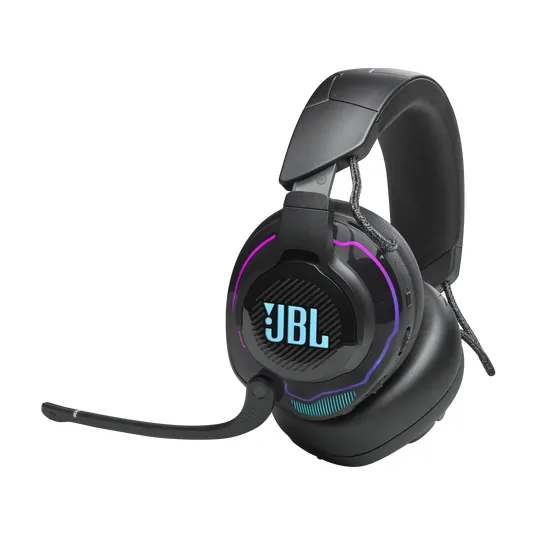
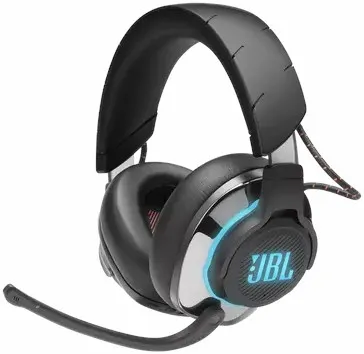
JBL
Quantum 910
- Kablosuz
- Aktif Gürültü Önleme (ANC)
- Batarya 39 saat
- Ağırlık 420 g
Üreticide satışta
7.887TL

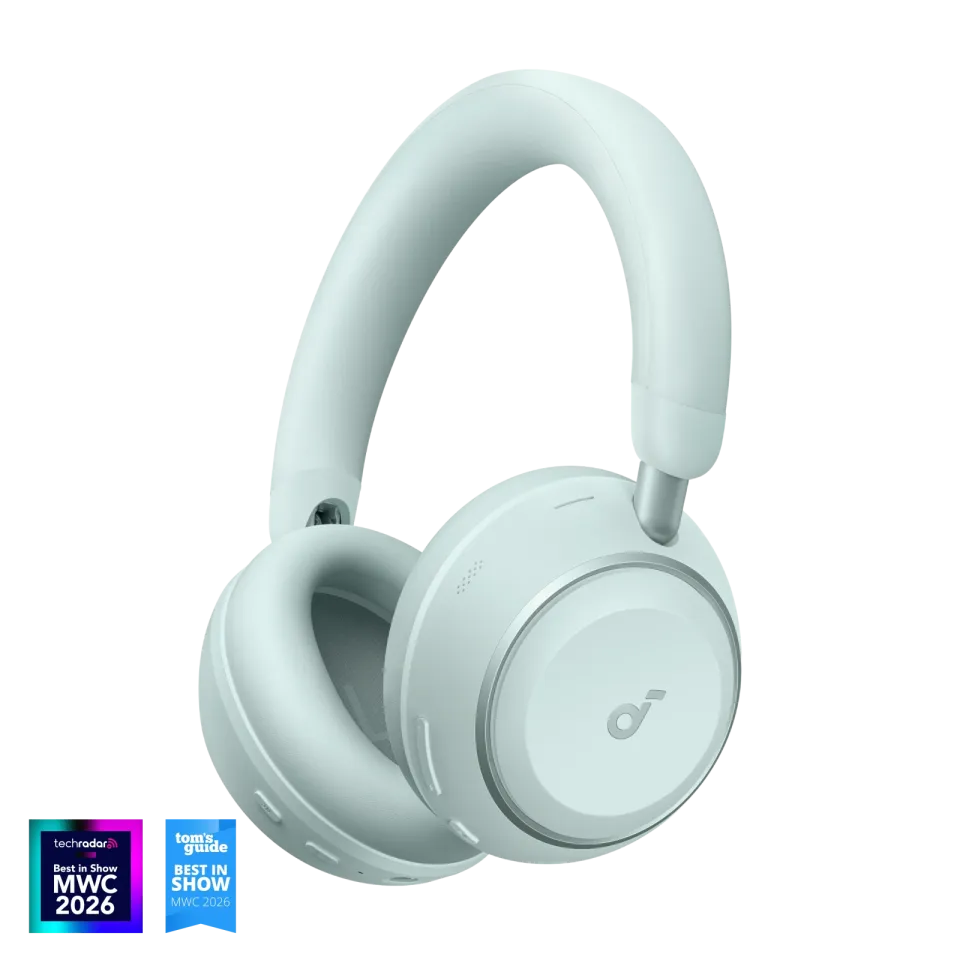
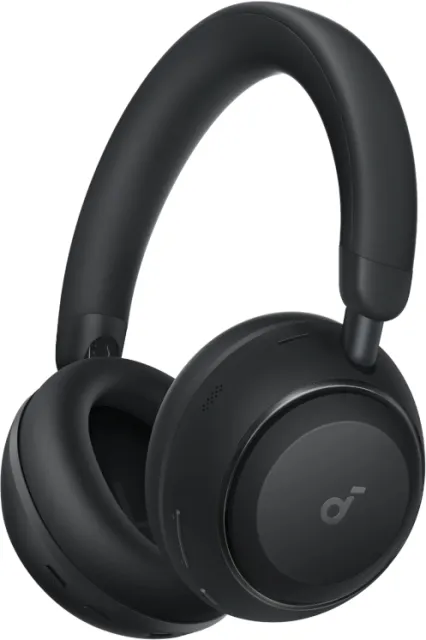
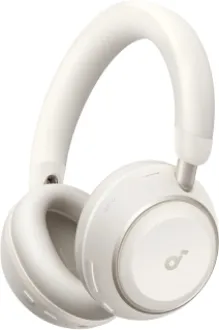
Görseller: mağazalar
Buy soundcore Space 2 wireless headphones with adaptive noise cancelling for travel. Enjoy Hi-Res audio, ergonomic comfort, 50H battery, and exclusive nap mode!
1/4
Products
Video
Specs
soundcore Space 2 | Comfortable Noise Cancelling Headphones for All-Day Wear
Advanced Noise Cancelling Optimized for Low-Frequency Noise on the Go
101 reviews
Color
$129.99
Flexible installment payment options available.
Bulk Headphones, Earbuds, and Speakers for Business >>>>>
Enhanced Noise Cancelling for Your Journey: The 4-stage low-frequency noise cancelling system targets and blocks out a wider range of noises—from jet engines to environmental rumble. Enjoy personal space wherever you go with Space 2 noise cancelling headphones.
All-Day Comfort: Enjoy a pressure-relieving fit with an ergonomic headband and upgraded protein leather ear cushions featuring slow-rebound memory foam for fatigue-free listening on long-haul flights.
Hear Every Detail: The 40mm double-layer diaphragm drivers produce sound with crisp highs and intense bass for exceptional high-fidelity audio. Supports Hi-Res Audio in wired mode and LDAC in wireless mode.
Ideal Battery Life for Traveling: Enjoy up to 50 hours of playtime with ANC on or 70 hours with ANC off. Ultra-fast charging delivers 4 hours of listening from just a 5-minute charge, eliminating battery anxiety during long journeys.
One Tap for Built-In White Noise: Enable Nap Mode in the soundcore app to instantly access built-in soundscapes. Block out distractions and reset your day with a single tap.
View More
Shipping Info
Shipping Policy
Standard Shipping
Place your order now for estimated delivery within 3-7 business days.
Free
Next-Day Shipping
Place your order now for estimated delivery within 1-2 business days.
$9.99
Members only
Express Shipping
Place your order now for estimated delivery within 1-3 business days.
$6.99
Members only
See available shipping areas
here
.
Express shipping is only available to registered users who are logged in.
Shipping Policy
Rules for Free Shipping Coupon:
1.While most orders are delivered within the estimated timeframe, certain factors may affect the delivery date.
2.Some items may be subject to shipping restrictions.
Additional Shipping Services
Next-Day Shipping Rates
Orders under 12 lb: $9.99
Orders over 12 lb: $14.99
Express Shipping Rates
Orders under 12 lb: $6.99
Orders over 12 lb: $9.99
Terms and Conditions
Services and benefits
Fast, Free Shipping
Hassle-Free Warranty
30-Day Money-Back Guarantee
Lifetime Customer Support
Want More Perks?
Become a Member Now!
1. Priority Shipping2. Member Pricing on Selected Products 3. Birthday Gift4. Unlock Benefits with soundcoreCredits
Learn More
30 Days Price Match
Payment Method
Delivery Method
Specs
Al Note-Taker
/
Drivers
40mm
Frequency Response
20Hz - 40KHz
Playtime
70H/50H
AUX-Eingang
Yes
Sound
40 mm Double-Layer Diaphragm
Bluetooth Version
6.1
Aux in
Yes
Active Noise Cancellation
Adaptive ANC 3.0
Fast Charging
5 Mins = 4 Hrs
Calls
3 Mics with AI Enhancement
Multipoint Connection
✔️
Weight
264 g (9.31 oz)
Design
Over-Ear
Control
Button Control
Dimensions
156.38*196*86.22MM
soundcore Space 2 | Comfortable Noise Cancelling Headphones for All-Day Wear
*For coupon issues, please contact customer support. $129.99 Add to Cart Buy Now *For coupon issues, please contact customer support.
Gamesky|soundcore Space 2 : The Sequel Is Better!
Kyle Krueger|I Found the Best BUDGET Headphones?!
ReganShorter|Fly in Comfort, Every Time!
First-Class Comfort
Like a Pillow for Your Ears
40 mm double-layer diaphragm drivers sharpen every high note and deepen every bass drop for an exceptional high-fidelity experience.
Enjoy High-Resolution audio, wired or wireless. LDAC transmits 3× more data to preserve every detail on every leg of your journey.Notes:
1. Hi-Res Audio logo and Hi-Res Audio Wireless logo are registered trademarks or otherwise trademarks of Japan Audio Society.
2. LDAC enables the transmission of audio content at a maximum bitrate of 990kbps—three times the data transmission rate of the standard SBC codec at 328kbps. LDAC is only compatible with Android devices and can be enabled in the soundcore app. LDAC and the LDAC logo are trademarks of Sony Corporation.
Enable Nap Mode in the soundcore app to instantly play white noise and keep calls silenced for distraction-free rest.
Notes: Battery playtime data was obtained from the soundcore lab with wearing detection off and continuous audio playback at 50% volume. Actual playtime may vary by factors such as volume, audio source, environmental interference, and usage habits. Fast charging data was obtained from testing in the soundcore lab using a 5V/1A charger and the included charging cable. After a 5-minute charge when the battery was fully drained, the headphones could play music at 50% volume with ANC off for 4 hours continuously.
Enable this feature in the soundcore app before first use, so your audio is always ready when you are.Notes: The visible sensor inside the ear cup detects the wearing status.
Your audio, your way. Switch modes and adjust playback volume with physical buttons. Customization available in the app.
Let the world in without missing a beat. Hear conversations and announcements clearly without stopping the music.
Bluetooth 6.1 connection enables seamless, stable switching between two devices.
Personalize your listening experience by fine-tuning your EQ, setting hearing protection limits, and customizing your overall experience in the soundcore app.
Enable intelligent features in the soundcore app, including Anka, your personal AI assistant, and real-time translation for over 100 languages.Notes:
1. The wake word "Hey Anka" is not customizable.
2. Android users must keep the soundcore app running in the background.
3. AI-generated responses are for reference only and may contain inaccuracies or biases, especially regarding political or sensitive topics. Please verify information independently.
3-mic AI-powered system captures your voice clearly and filters out surrounding noise, keeping you sounding effortlessly natural in calls.
Made for life on the go, its compact size and sturdy design mean it can handle any journey.
How to Wear
What's in the Box
Al Note-Taker/
Drivers40mm
Frequency Response20Hz - 40KHz
Playtime70H/50H
AUX-EingangYes
Sound40 mm Double-Layer Diaphragm
Bluetooth Version6.1
Aux inYes
Active Noise CancellationAdaptive ANC 3.0
Fast Charging5 Mins = 4 Hrs
Calls3 Mics with AI Enhancement
Multipoint Connection✔️
Weight264 g (9.31 oz)
DesignOver-Ear
ControlButton Control
Dimensions156.38*196*86.22MM
Basic Operations
Technical Specifications
Sound
Call
Control
Bluetooth
Charging & Battery
ANC
App
Maintenance and Care
Press and hold the Power button for 2 seconds. The white LED indicator will flash once and then turn off.
Press and hold the Power button for 2 seconds. The white LED indicator will flash once and then turn off.
The red LED indicator will remain solid and turn off once charging is complete.
When the battery level drops below 10%, the headphones will enter Low Battery mode and play a warning tone every hour. This notification can be enabled or disabled in the soundcore app.
If turned on for the first time, the headphones automatically enter pairing mode; no action is required. During subsequent power-ons, the headphones automatically reconnect to the last connected device. If the headphones fail to reconnect within 10 seconds, they will enter pairing mode, indicated by the blue LED flashing rapidly. If pairing is successful, the blue LED turns off after 3 seconds; if unsuccessful within the next 2 minutes, the headphones will enter idle mode. To re-enter pairing mode from the idle state, double-press the Power button.
To ensure optimal audio quality, keep the headphones powered off before connecting them to your device using the included audio cable. Then, press and hold the Power button for 2 seconds to power on. The default EQ will be applied. Note that when connected via an AUX cable: 1. The MFB (Multi-Function Button ⏯️) and volume buttons are non-functional. 2. When powered on, the NC button can be used to switch between modes. 3. Phone calls are not supported. 4. The headphones automatically power off when the AUX cable is disconnected. 5. AUX cables with integrated microphone functionality are supported. 6. You may hear some background noise when the headphones are powered on. This is normal.
Power on the headphones, or double-press the Power button to enter pairing mode. Then, bring the headphones near an Android 6.0 device running Google Play Services version 11.7 or higher. A pop-up window will appear on the device for quick connection.
Dual device connection is enabled by default. This can be disabled in the soundcore app by going to Settings (top right) > Dual Device Connection. You will be able to disconnect the headphones or delete connection records here. To connect to a second device when already connected to one, double-press the Power button to enter dual connection mode. The second device can then search for and connect to the headphones.
Audio switching can be a manual or automatic process. For automatic switching, the logic is similar to that on Space One Pro, where audio switching takes place from the device playback is detected. Please note that background sounds from notifications or any in-app audio may trigger unintended switching.
Music playback control functions are as follows: 1. Press the volume buttons once to increase or decrease the volume. 2. Press and hold the Volume "+" button for 2 seconds to skip to the next track. Press and hold the Volume "-" button for 2 seconds to return to the previous track. 3. Press the Multi-Function Button ⏯️ once to play or pause playback.
By default, the headphones are in ANC mode whenever they are powered on. Pressing the NC button allows you to switch between Transparency and ANC modes. ANC can only be turned off through settings in the app.
The call control functions are as follows: 1. Press the Multi-Function Button ⏯️ once to answer or end a call. 2. Press and hold the Multi-Function Button ⏯️ for 2 seconds to reject an incoming call. 3. During a call, press and hold the Multi-Function Button ⏯️ for 2 seconds to mute or unmute microphone audio. A prompt tone will confirm the status change. 4. If the headphones are connected to two phones and there is a call active on Phone A, and you receive a call on Phone B, you can either press the Multi-Function Button ⏯️ once to end the call on Phone A and answer the call on Phone B, or press and hold the Multi-Function Button ⏯️ for 2 seconds to reject the call on Phone B.
To activate the voice assistant while the headphones are on standby or playing music, press and hold the Multi-Function Button ⏯️ for 2 seconds.
The long-press function can be customized to activate the phone's native voice assistant, Anka Voice Assistant, AI Translation, or Nap mode. Please note that only one function can be assigned at a time.
1. Go to Control Settings in the app. Under Multi‑Function Button ⏯️, set Long Press to "Nap Mode." Return to the device screen in the app to activate Nap Mode. 2. Press and hold the play/pause button to enter Nap Mode. 3. In Nap Mode, hold the Volume "+" button for 2 seconds to skip to the next track or the "–" button for the previous track. There are 4 built‑in tracks that loop automatically. 4. You can also set a timer to automatically close Nap Mode in the app. Notes: 1. Calls and regular music playback are not available in Nap Mode. 2. Nap Mode automatically switches to ANC Mode and cannot be adjusted. 3. During Nap Mode, controls for volume or white‑noise tracks are disabled.
To perform a factory reset: 1. Ensure the headphones are powered on. 2. Hold the Power button and Volume "+" buttons simultaneously for 5 seconds. 3. The red power LED light will flash slowly 3 times, indicating that the factory reset process has begun.
To perform a hard reset: 1. Connect the headphones to a 5V/1A charger for 5 seconds. 2. Disconnect the charging cable. 3. Manually power on the headphones.
Enabling 3D Audio enhances stereo and spatial effects but may somewhat reduce overall audio quality. This feature is primarily designed for use when listening to music and watching movies. Effects vary by music genre, and there may not be a noticeable effect for some songs). It is not recommended for podcast listening. Notes: 1. 3D Audio and LDAC cannot be used at the same time. 2. If your phone has built-in Dolby functionality, we recommended enabling both the phone's Dolby feature and the headphones' 3D Audio for optimal experience.
This feature is called Safe Volume and can be enabled in the app. The headphone's volume can be set with the Limit High Volume setting in the app. Note: If you have enabled the Anka wake function, the hearing protection interface will not display the headphone volume level.
LDAC is not supported by iOS devices. Those with Android devices can enable LDAC by going to Settings > Sound Mode > Sound Quality Priority (LDAC) to upgrade the firmware and experience LDAC mode audio. Please note that the headphones cannot connect to two devices in this mode. 2. If the feature does not work after upgrading: Navigate to Phone Settings > Tap the phone software version number 3 times > Enter Developer Mode > Verify whether the phone supports LDAC. 3. Samsung phones need the system's LDAC enabled before it can be used. 4. iOS devices do not support LDAC. LDAC cannot be used with dual device connection or 3D Audio. 5. With LDAC, battery life is approximately 10 hours shorter compared to normal mode.
1. Android phone users can enable LDAC switching in Settings > Sound Mode in the upper-right corner of the app, and upgrade the firmware to experience LDAC audio effects. Please note that the headphones cannot connect to two devices in this mode. 2. If you have updated the firmware and enabled LDAC in the app but are still unable to use LDAC, please check if your device supports LDAC and has a separate LDAC setting that must be toggled on. To do so, go to Settings > System > Developer Options > HD Audio > Bluetooth Audio Codec. If LDAC is selectable here, your device supports LDAC. Note that the settings path may differ across phone models. 3. Samsung phones need the system's LDAC enabled before it can be used. 4. Multi-device connection is supported in LDAC. 5. iOS does not support LDAC. If you have updated the firmware and enabled LDAC in the app but are still unable to use LDAC, please check if your device supports LDAC and has a separate LDAC setting that must be toggled on. To do so, go to Settings > System > Developer Options > HD Audio > Bluetooth Audio Codec. If LDAC is selectable here, your device supports LDAC. Note that the settings path may differ across phone models.
For first-time use, remove the dust protection sticker from the sensor detection hole inside the left ear cup. In the soundcore app, navigate to Settings (top right) > Wearing Detection and enable the Auto Play/Pause toggle to experience the wearing detection feature. Note: To calibrate, go to Settings (top right) > Wearing Detection > Wearing Calibration and follow the guide to calibrate and restore detection sensitivity. Please ensure you correctly position/wear the headphones according to the guide images to avoid calibration failure.
Check if there is dust or foreign matter in the sensor area.
If the wearing detection function becomes ineffective or less responsive, perform a function calibration after cleaning the sensor area.
Test with other devices to rule out compatibility issues.
Enable the AI Chat function in the app settings. Then say "Hey, Anka" to wake the assistant and begin giving commands.
Set up the AI translation feature by doing the following: 1. Ensure your device is connected to a stable network (Wi-Fi or mobile data). The translation feature relies on cloud services. 2. Check that the necessary permissions for the translation application have been granted (e.g., microphone access, storage, and network permissions). 3. Check that the translation feature is enabled in the app and confirm whether translation uses phone or headphone audio input. Confirm that the source and target languages are configured correctly in the translation interface and the direction is not reversed (for example, "Chinese > English" versus "English > Chinese"). For Real-Time Translation, the user needs to speak into the phone's microphone. The translated content will be heard through the headphones.
The headphones automatically power off after 60 minutes if no Bluetooth connection is detected. This can be customized going to the app Settings > Auto Power-Off and selecting a time duration (30 min / 60 min / 90 min / 120 min / Never).
You can do so by going to the app settings turning off the corresponding options.
There are two ways to update the firmware: Update via the app pop-up notification. Go to Settings (top right) > Update Firmware in the app.
View More
Based on 101 reviews
Write a review
84%
(85)
13%
(13)
1%
(1)
1%
(1)
1%
(1)
100.0
S
S.S.
Best quality for the price.
Fits very well and comfortably over the ears. Comes with a nice travel bag to keep the headphones protected. Very convenient.
S
S.B.
One of my best purchases!
Amazing purchase. It’s like a hug for the ears, super comfortable and good sound and noise canceling. With prolonged use there is some ears sweating but still infinitely better than AirPods. Good battery life too. I love the mint green color!I will say that i didn’t expect the headphones to only connect to two devices at a time. That was unexpected. It did get easier to manage the headphones once I downloaded the anker soundcore app for my phone.Great for travel and flights. Definitely purchase if you’re on the fence.
S
S.S.
Great buy!
Very easy to connect. Great sound and love the noise cancelling. Also like that you can adjust the level of noise cancellation. Very comfortable to wear. Great price. quality far exceeds the cost.
K
K.M.
great price!
These were very reasonably priced and did the trick for sound quality too!
K
K.D.
Packaged well, arrived in a timely manner
1
2
3
Metin ve görseller üreticinin sitesinden birebir · Anker'daki ürün sayfası: https://www.soundcore.com/products/d1402-space-2-comfortable-noise-cancelling-headphones
Bu metin Anker tarafından serinin açıklaması olarak yazılmıştır; bu modelin yapılandırma, teknik özellik ve renk ayrıntıları farklı olabilir.
| Satıcı · tarih | Önce | Sonra |
|---|---|---|
| Trendyol 23 Kasım |
7.199 TL | 7.549 TL %4,9 arttı |
| Trendyol · Anker 23 Kasım |
7.499 TL | 7.349 TL %2 düştü |
| Trendyol · Vatan Bilgisayar 23 Kasım |
7.399 TL | 7.349 TL %0,7 düştü |
| Trendyol 11 Kasım |
7.549 TL | 7.199 TL %4,6 düştü |
| Trendyol · Anker 11 Kasım |
7.549 TL | 7.499 TL %0,7 düştü |
| Trendyol · Vatan Bilgisayar 11 Kasım |
7.729 TL | 7.399 TL %4,3 düştü |
| Trendyol 3 Kasım |
7.675 TL | 7.549 TL %1,6 düştü |
| Trendyol · Anker 3 Kasım |
8.999 TL | 7.549 TL %16,1 düştü |
Mağaza ve üretici sayfalarını her okuyuşumuzda fiyat değiştiyse kaydediyoruz; tarih, değişikliği gördüğümüz gün.
Kaynak: Amazon, Media Markt, Vatan Bilgisayar ürün sayfaları; satırlar mağazanın yazdığı gibi aktarılmıştır.
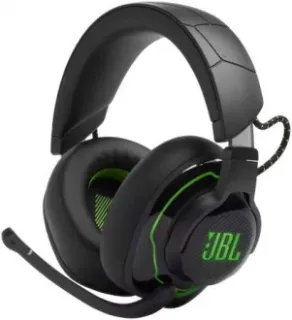
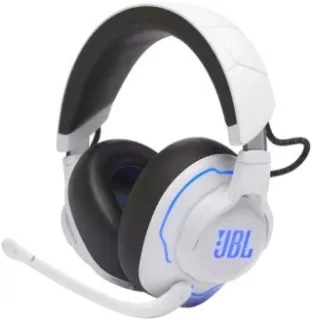
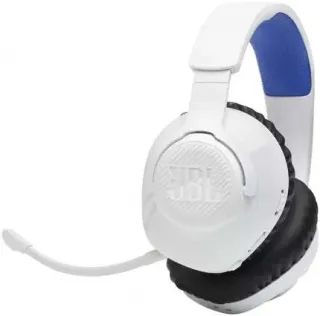
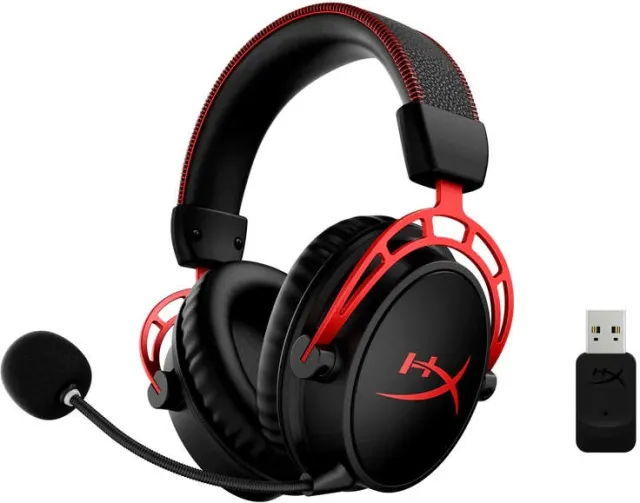

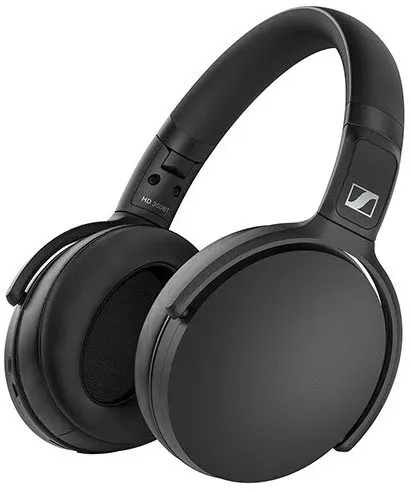
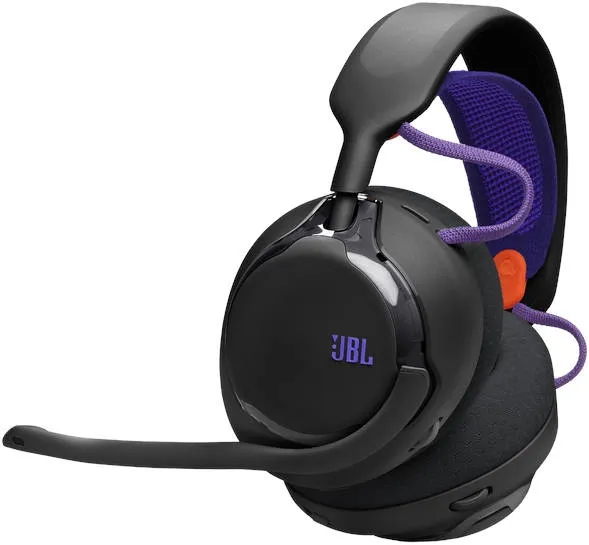
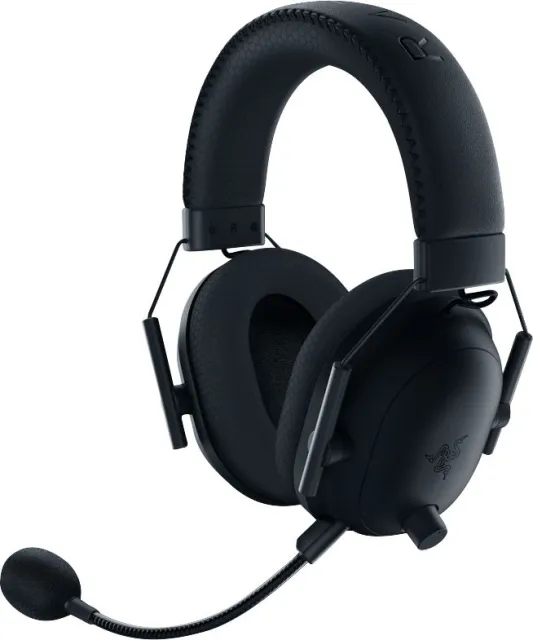


Anker Soundcore Space 2 için bugün listelenen en düşük fiyat 7.349 TL, en ucuz satıcı Trendyol. Ürün 2 mağazada listeleniyor, fiyatlar 7.349 – 8.999 TL arasında.
Kayıtlarımızdaki en düşük fiyat 7.199 TL (11.11.2026). Bugünkü en düşük fiyat bu seviyenin %2,1 üzerinde.
Fiyatıyla (7.349 TL) kategorideki 3.390 fiyatlı modelin %82'sinden daha pahalı. Anker markasının bu kategorideki fiyatlı 62 modeli arasında en pahalı 14. model; kategorideki fiyatlı modellerin %2'si bu markanın.
Özellik ve fiyatça en yakın modeller: JBL Tune 780NC, JBL Tour One M2 ve Sony WH-CH730N.
Anker Soundcore Space 2 için kayıtlı gürültü engelleme: Aktif Gürültü Önleme (ANC).
Anker Soundcore Space 2 için kayıtlı batarya süresi 70 saattir.
Üretici bölümlerindeki metin ve görseller Anker markasına aittir; değiştirilmeden, kaynağı gösterilerek yayınlanır. Fiyatlar mağazalardan günlük toplanır; satın almadan önce satıcı sitesinde kontrol edin.