
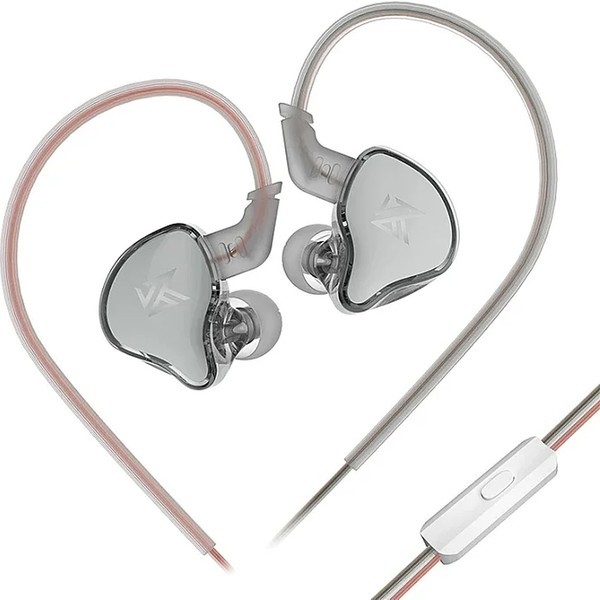
EDCX
Mikrofonlu
- Kablolu
- Pasif Gürültü Önleme
1.849TL

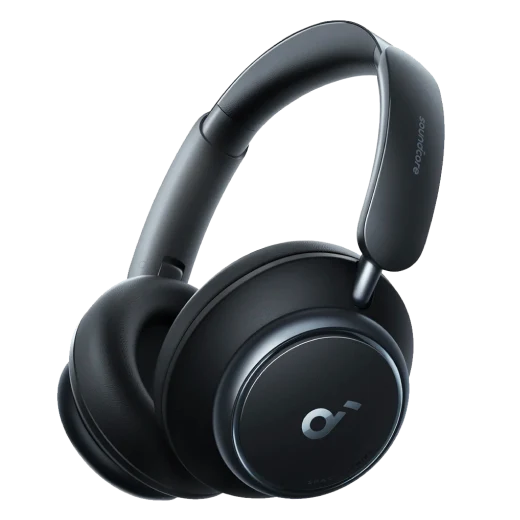
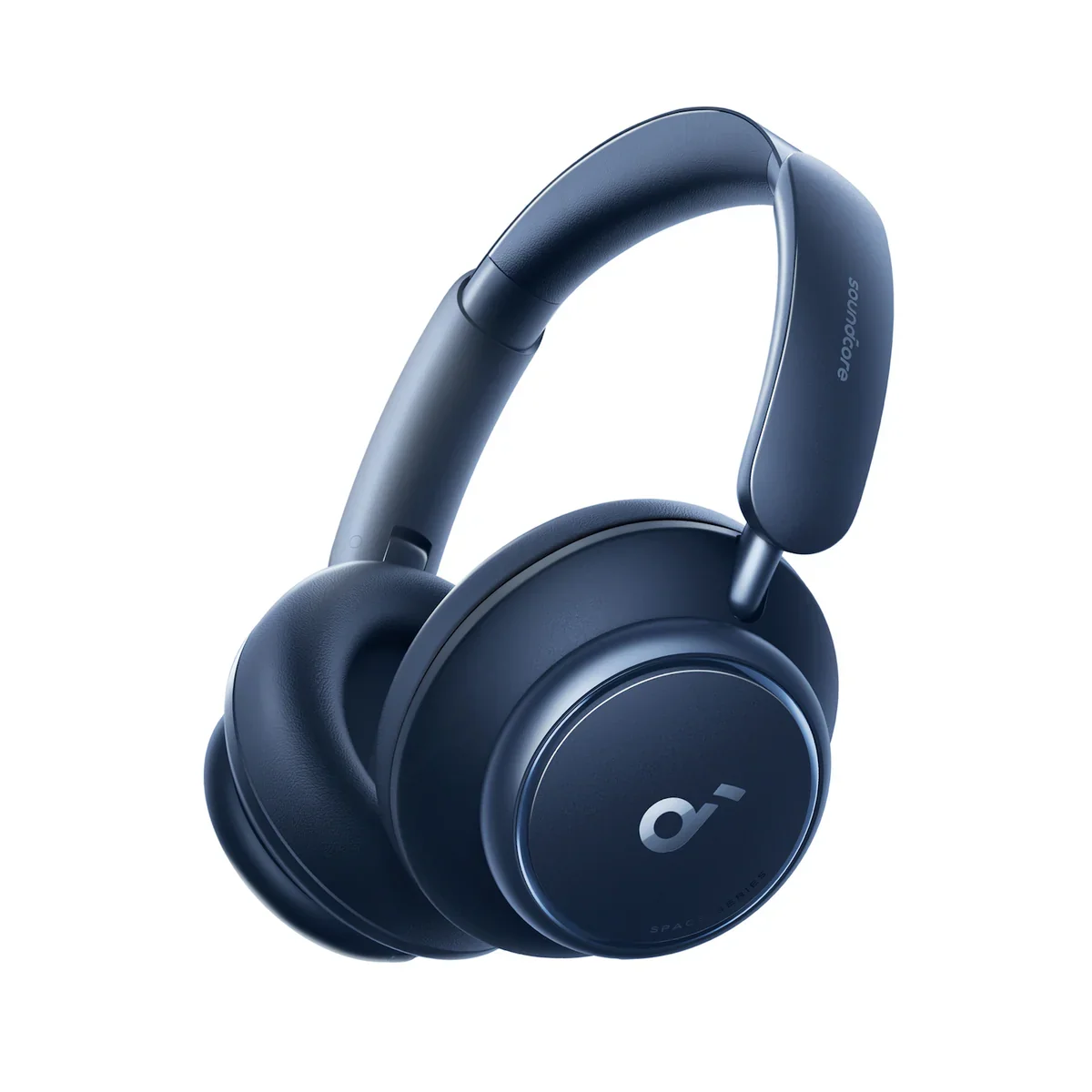
Fotoğraf: Anker
Shop soundcore Space Q45 noise cancelling headphones for noise cancelling that reduces noise by up to 98% and 50 hours of playtime to make every journey sound good.
$10
OFF
Products
Specs
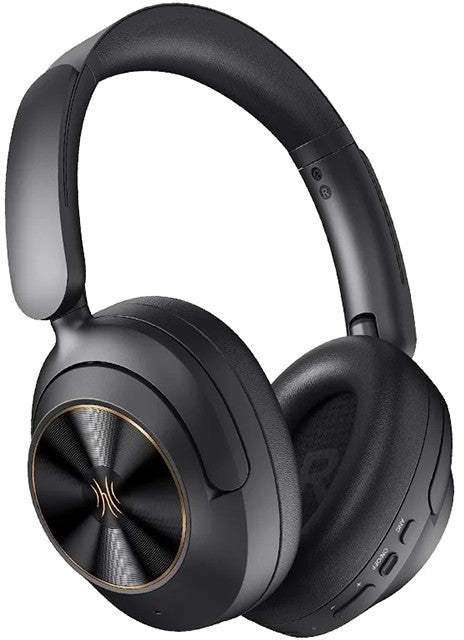
soundcore Space Q45 | Long-Lasting Noise Cancelling Headphones
All-New Noise Cancelling Headphones with 50-Hour Playtime
530 reviews
Color
Flexible installment payment options available.
Bulk Headphones, Earbuds, and Speakers for Business >>>>>
Upgraded noise cancelling system reduces noise by up to 98%
Make every space your own with adaptive noise cancelling
Ultra-long 50-hour playtime for travel
Sound with exceptional detail
Secure and comfortable fit
TCO Certified: For Better Sustainability
View More
Shipping Info
Shipping Policy
Standard Shipping
Place your order now for estimated delivery within 3-7 business days.
Free
Next-Day Shipping
Place your order now for estimated delivery within 1-2 business days.
$9.99
Members only
Express Shipping
Place your order now for estimated delivery within 1-3 business days.
$6.99
Members only
See available shipping areas
here
.
Express shipping is only available to registered users who are logged in.
Shipping Policy
Rules for Free Shipping Coupon:
1.While most orders are delivered within the estimated timeframe, certain factors may affect the delivery date.
2.Some items may be subject to shipping restrictions.
Additional Shipping Services
Next-Day Shipping Rates
Orders under 12 lb: $9.99
Orders over 12 lb: $14.99
Express Shipping Rates
Orders under 12 lb: $6.99
Orders over 12 lb: $9.99
Terms and Conditions
Services and benefits
Fast, Free Shipping
Hassle-Free Warranty
30-Day Money-Back Guarantee
Lifetime Customer Support
Want More Perks?
Become a Member Now!
1. Priority Shipping2. Member Pricing on Selected Products 3. Birthday Gift4. Unlock Benefits with soundcoreCredits
Learn More
30 Days Price Match
Payment Method
Delivery Method
Specs
Al Note-Taker
/
Drivers
40mm
Frequency Response
20Hz - 40KHz
Playtime
65H/50H
AUX-Eingang
Yes
Sound
40mm Double-Layer Drivers
Bluetooth Version
5.3
Aux in
Yes
Active Noise Cancellation
Adaptive ANC
Fast Charging
5 Mins = 4 Hrs
Calls
2 Mics with AI
Multipoint Connection
✔️
Customized EQ
Hear ID
Weight
292g (10.30 oz)
Special Features
Protective Case, AUX
Design
Over-Ear
Control
Button Control
Dimensions
161*190*88MM
soundcore Space Q45 | Long-Lasting Noise Cancelling Headphones
*For coupon issues, please contact customer support. Sold Out Notify Me *For coupon issues, please contact customer support. Adjustable Ambient Sound Use the app to choose from 5 levels of transparency and noise cancelling for ultimate customization. Adjustable Ambient Sound Use the app to choose from 5 levels of transparency and noise cancelling for ultimate customization. Upgraded Noise Cancelling The ultra-wide, 3-stage noise cancelling system targets and blocks out noises precisely. Upgraded Noise Cancelling The ultra-wide, 3-stage noise cancelling system targets and blocks out noises precisely. 2× Stronger Create personal space wherever you are, with soundcore's upgraded noise cancelling technology. 2× Stronger Create personal space wherever you are, with soundcore's upgraded noise cancelling technology. Adaptive Noise Cancelling Space Q45's noise cancelling automatically adapts based on the noise from your surroundings. Adaptive Noise Cancelling Space Q45's noise cancelling automatically adapts based on the noise from your surroundings. Adjustable Ambient Sound Use the app to choose from 5 levels of transparency and noise cancelling for ultimate customization. Adjustable Ambient Sound Use the app to choose from 5 levels of transparency and noise cancelling for ultimate customization. Upgraded Noise Cancelling The ultra-wide, 3-stage noise cancelling system targets and blocks out noises precisely. Upgraded Noise Cancelling The ultra-wide, 3-stage noise cancelling system targets and blocks out noises precisely. 2× Stronger Create personal space wherever you are, with soundcore's upgraded noise cancelling technology. 2× Stronger Create personal space wherever you are, with soundcore's upgraded noise cancelling technology. Adaptive Noise Cancelling Space Q45's noise cancelling automatically adapts based on the noise from your surroundings. Adaptive Noise Cancelling Space Q45's noise cancelling automatically adapts based on the noise from your surroundings. Adjustable Ambient Sound Use the app to choose from 5 levels of transparency and noise cancelling for ultimate customization. Adjustable Ambient Sound Use the app to choose from 5 levels of transparency and noise cancelling for ultimate customization. Upgraded Noise Cancelling Boosted Performance Smarter Noise Cancelling Enhanced Awareness Crystal Clear Calls Be heard in crystal-clear clarity as two mics and an AI algorithm detect and amplify your voice. Crystal Clear Calls Be heard in crystal-clear clarity as two mics and an AI algorithm detect and amplify your voice. Ideal for Traveling Enjoy up to 50 hours of playtime in ANC mode and up to 65 hours in standard mode. Ideal for Traveling Enjoy up to 50 hours of playtime in ANC mode and up to 65 hours in standard mode. Never Compromise on Sound Pioneering double-layer diaphragm drivers produce clear, bright sound with strong bass. Never Compromise on Sound Pioneering double-layer diaphragm drivers produce clear, bright sound with strong bass. Gold Standard of Sound LDAC transfers 3× more detail than standard Bluetooth codecs for a detail-rich listening experience. Gold Standard of Sound LDAC transfers 3× more detail than standard Bluetooth codecs for a detail-rich listening experience. Personalized Listening Make Space Q45 yours with adjustable EQ, customizable controls, and more in the easy-to-use app. Personalized Listening Make Space Q45 yours with adjustable EQ, customizable controls, and more in the easy-to-use app. Crystal Clear Calls Be heard in crystal-clear clarity as two mics and an AI algorithm detect and amplify your voice. Crystal Clear Calls Be heard in crystal-clear clarity as two mics and an AI algorithm detect and amplify your voice. Ideal for Traveling Enjoy up to 50 hours of playtime in ANC mode and up to 65 hours in standard mode. Ideal for Traveling Enjoy up to 50 hours of playtime in ANC mode and up to 65 hours in standard mode. Never Compromise on Sound Pioneering double-layer diaphragm drivers produce clear, bright sound with strong bass. Never Compromise on Sound Pioneering double-layer diaphragm drivers produce clear, bright sound with strong bass. Gold Standard of Sound LDAC transfers 3× more detail than standard Bluetooth codecs for a detail-rich listening experience. Gold Standard of Sound LDAC transfers 3× more detail than standard Bluetooth codecs for a detail-rich listening experience. Personalized Listening Make Space Q45 yours with adjustable EQ, customizable controls, and more in the easy-to-use app. Personalized Listening Make Space Q45 yours with adjustable EQ, customizable controls, and more in the easy-to-use app. Crystal Clear Calls Be heard in crystal-clear clarity as two mics and an AI algorithm detect and amplify your voice. Crystal Clear Calls Be heard in crystal-clear clarity as two mics and an AI algorithm detect and amplify your voice. 50-Hour Playtime Detail-Rich Sound Hi-Res Wireless Sound soundcore App AI-Enhanced Calls Aluminum Alloy Hinges The hinges can rotate and are foldable for convenient storage. Seamless Sliding Design For a streamlined design and smooth extension to fit different sized heads. Ultra-Soft Earcups Made from skin-friendly materials, the earcups have bouncy cushioning and a wider inner diameter to comfortably fit around your ears. Refined Design Rock your Space Q45 in style with earcups featuring smooth curves, a matte finish, and pops of detail from the mirror-finish highlights. Refined Design Rock your Space Q45 in style with earcups featuring smooth curves, a matte finish, and pops of detail from the mirror-finish highlights. Aluminum Alloy Hinges The hinges can rotate and are foldable for convenient storage. Seamless Sliding Design For a streamlined design and smooth extension to fit different sized heads. Ultra-Soft Earcups Made from skin-friendly materials, the earcups have bouncy cushioning and a wider inner diameter to comfortably fit around your ears. Refined Design Rock your Space Q45 in style with earcups featuring smooth curves, a matte finish, and pops of detail from the mirror-finish highlights. Aluminum Alloy Hinges The hinges can rotate and are foldable for convenient storage. Seamless Sliding Design For a streamlined design and smooth extension to fit different sized heads. Ultra-Soft Earcups Made from skin-friendly materials, the earcups have bouncy cushioning and a wider inner diameter to comfortably fit around your ears. Refined Design Rock your Space Q45 in style with earcups featuring smooth curves, a matte finish, and pops of detail from the mirror-finish highlights. 1 2 3 4 Dual Connection Stay connected to two devices with Bluetooth 5.3 and multipoint connection. Instantly switch between music, calls, videos, and more on different devices hassle-free to save you time and effort. Product Dimensions Length: 161mm / 6.3in Height: 190mm / 7.5in Wide: 88mm / 3.5in FAQ Charging How long does it to fully charge Space Q45? It takes around 2 hours to fully charge Space Q45 headphones in a normal indoor environment, but charging may take a little longer in low temperatures. What is Space Q45's playtime with a full charge? - Playtime with active noise cancelling off: 65 hours at 60% volume - Playtime with active noise cancelling on: 50 hours at 60% volume - A 5-minute charge gives you 4 hours of listening Note: The playing time may vary slightly based on the music content. If you use the headphones to make/receive a call, the playtime will be reduced as the microphone consumes more power than when listening to music. Can I use Space Q45 while they're charging? No, Space Q45 cannot be used while charging. What should I do if Space Q45 cannot hold a charge, doesn't power on, or cannot be fully charged? 1. Try a different wall charger (it's best to use a 5V charger) and cable to charge the headphones for at least 24 hours no matter if the indicator is on or off. 2. Make sure the wall charger and cable you're using work correctly with other devices. 3. Reset Space Q45 by holding down the power button and Volume+ for 5 seconds. What should I do if Space Q45's battery discharges quickly? 1. Try a different wall charger (it's best to use a 5V charger) and cable to charge the headphones for at least 24 hours no matter if the indicator is on or off. 2. Make sure the wall charger and cable you're using work correctly with other devices. 3. After fully charging Space Q45, test the playtime again at 60% volume. Bluetooth What Bluetooth codecs does Space Q45 support? Space Q45 supports AAC, SBC, and LDAC. What should I do if any of the following problems occur?- Cannot pair or reconnect with my device.- Cannot detect Space Q45 on the Bluetooth device. 1. Restart the Bluetooth device, forget all the pairing records on your device, and turn off Bluetooth. 2. Hold the Power and Volume+ buttons at the same time for 5 seconds to reset Space Q45. The indicator will flash red 3 times. This confirms that the reset is successful. 3. Turn on the Bluetooth of your device and search for soundcore Space Q45 and pair. 4. Test your Space Q45 with a different Bluetooth device to see if the problem still persists. How do I pair Space Q45 with a second Bluetooth device, and how do I activate multipoint connection? 1. Pair Space Q45 headphones with the first Bluetooth device. 2. Double click the Power button so that Space Q45 enters the pairing status again. The LED will flash blue. 3. Select "soundcore Space Q45" in the Bluetooth device list of the second device. The headset will be paired with the second device. The indicator will be steady blue for 3 seconds, then turn off. How do I pair with a different Bluetooth device when Space Q45 is already paired to two Bluetooth devices? If soundcore Space Q45 is already connected to two Bluetooth devices, double-clicking the power button cannot make them enter pairing status. If you still need to pair a new device to Space Q45, there are two ways to do it: 1. You need to manually disconnect a connected device, so that the headset will directly enter the pairing status. 2. You can view the connection status and connected device history in the soundcore app. You can manually disconnect one of the devices and then connect a new device in the app. What should I do if Space Q45 disconnects or the sound is interrupted? This doesn't necessarily mean there is an issue with the headphones. The issue could be with the Bluetooth connection, the connected device, or the environment. Bluetooth signals may be affected by obstructions such as walls, pillars, home appliances, Wi-Fi, and more. To ensure a stable connection, we recommend avoiding such obstructions. To fix this issue, please try the following: 1. "Forget" Space Q45 in your device's Bluetooth history. 2. Fully charge Space Q45 and hold the Power and Volume+ buttons at the same time for 5 seconds to reset. The indicator will flash red 3 times. This confirms that the reset is successful. 3. Check Space Q45 by listening to downloaded music/video. 4. Check Space Q45 with another Bluetooth device in a different environment to see if it works well. 5. Try to turn off the Bluetooth Codec SBC and turn on AAC. What should I do if there is an audio delay? There will always be a very small delay between wireless headphones and Bluetooth devices due to the limitation of Bluetooth technology. Normally, it will not be noticeable and will not affect your experience. Noticeable delays can be related to the true wireless earbuds, the connected device, audio source, app, and network. To locate the issue, try the following: 1. "Forget" Space Q45 in your device's Bluetooth history and restart your Bluetooth device. 2. Reset Space Q45 by holding down the Power and Volume+ buttons for 5 seconds. 3. Test Space Q45 with a different Bluetooth device, app, and downloaded music/video to see if the problem still persists or not. 4. Ensure there are no physical objects hindering the Bluetooth connection from Space Q45 to the device they're connected to (such as a doorway or wall). Sound What should I do if one side of Space Q45 does not emit any sound or the sound is lower on one side? 1. Fully charge Space Q45 and restart your Bluetooth device. 2. Reset the headphones by holding down the Power and Volume+ buttons for 5 seconds. 3. Press the NC button to switch Space Q45 to other modes (noise cancelling/normal/transparency) to see if the problem still persists or not. 4. Try using Space Q45 with another device. 5. Use Space Q45 in wired mode to see if it works. 6. Make sure that the sound setting of your Bluetooth device is not skewed to one side. What should I do if I hear background noises or screeching sounds? 1. "Forget" Space Q45 in your device's Bluetooth history and restart your device. 2. Hold the Power and Volume+ buttons at the same time for 5 seconds to reset Space Q45. The indicator will flash red 3 times. This confirms that the reset is successful. 3. Test these headphones with a different Bluetooth device and audio sources. 4. Press the NC button to switch Space Q45 to other modes (noise cancelling/normal/transparency) to see if the problem still persists or not. 5. Try Space Q45 in a different environment. Does this issue persists on a busy street or on a quiet environment? 6. Upgrade the firmware to the latest version via the soundcore app. What should I do if the sound quality is poor in Bluetooth mode? 1. Make sure you're wearing Space Q45 in the correct position so that they create a tight seal. This will enhance the sound quality and noise cancellation effect. 2. Try different types of music and make sure the input audio source has no distortion or noise. 3. Try different EQ modes on the soundcore app and customize the EQ to your preference. 4. If you're using an Android phone that supports LDAC, turn it on and see if it helps. 5. Hold the Power and Volume+ buttons at the same time for 5 seconds to reset Space Q45. The indicator will flash red 3 times. This confirms that the reset is successful. What should I do if the sound quality is poor in wired mode? 1. Hold the Power and Volume+ buttons at the same time for 5 seconds to reset Space Q45. The indicator will flash red 3 times. This confirms that the reset is successful. 2. Try different types of music and make sure the input audio source quality has no distortion or noise. 3. Try using the AUX cable with your other devices to see if there's a problem with it. 4. Use another AUX cable to connect to Space Q45 headphones to see if it works. What should I do if there are interruptions when listening in LDAC mode or multipoint mode? 1. Bluetooth signals may be influenced by obstructions, such as walls, pillars, home appliances, Wi-Fi, and more. To ensure a stable connection, we recommend avoiding such obstructions. 2. "Forget" the headphones in your device's Bluetooth history. Hold the Power and Volume+ buttons at the same time for 5 seconds to reset Space Q45. The indicator will flash red 3 times. This confirms that the reset is successful. 3. Test Space Q45 with a different Bluetooth device and audio sources. 4. Upgrade the firmware to the latest version via the soundcore app. 5. Please note, LDAC mode is disabled when using multipoint connection because of the Bluetooth transmission limit. ANC What's the differences between Adaptive Noise Cancelling and Custom Noise Cancelling? Adaptive Noise Cancelling: Automatically adapts to the best noise reduction effect according to the level of noise in your surroundings. Custom Noise Cancelling: There are 5 levels of noise reduction. The higher the noise reduction level, the stronger the low frequency noise reduction effect. What should I do if Space Q45's noise cancellation performance is poor? 1. Make sure you're wearing the left and right ear cups on the correct side of your head. Adjust the sliders on the headband so that the ear cups cover your ears and are not blocked by hair. 2. Make sure you are using noise cancelling mode and select Level 5 noise canceling on the soundcore app. 3. Test Space Q45 in different environments to see if it affects the performance. Note: Space Q45's noise cancelling detect and cancels out a wide range of low and mid-frequency noises such as cars and airplane engines, but they cannot cancel all the noise around us. Human voices can be reduced but can not be completely eliminated. Mic How do I use Space Q45 to make/receive a call when connected to a computer? For Windows computers, use the following steps: 1. System settings: Output settings: soundcore Space Q45 Stereo Input settings: soundcore Space Q45 Hands-Free AG Audio 2. Call software settings: Mic and speaker options: soundcore Space Q45 Hands-Free AG Audio For Mac computers, use the following steps: 1. System Preferences > Sound > Output > Select "soundcore Space Q45 Stereo" System Preferences > Sound > Input > Select "soundcore Space Q45 Hands-Free AG Audio" 2. Call software settings: Mic and speaker options: soundcore Space Q45 Hands-Free AG Audio What should I do if Space Q45 has a low microphone volume? 1. Make sure you wear Space Q45 correctly and avoid wearing the left and right ear cups on the wrong sides since the microphone is located in the right front of the right ear cup. 2. Choose Space Q45 as the microphone output on the connected device. 3. "Forget" Space Q45 in your device's Bluetooth history and reset by holding down the Power and Volume+ buttons for 5 seconds, and then re-pair. 4. Test Space Q45 with a different Bluetooth device in a different environment to see if it makes any difference. 5. If you make a call via an app, please try using your phone to make a call instead to see if the problem still persists. 6. Upgrade the firmware to the latest version via the soundcore app. What should I do if the microphone picks up surrounding noise during calls? 1. "Forget" Space Q45 in your device's Bluetooth history and restart your Bluetooth device. 2. Hold the Power and Volume+ buttons at the same time for 5 seconds to reset Space Q45. The indicator will flash red 3 times. This confirms that the reset is successful. 3. Use noise cancelling mode while making calls to see if it helps. 4. Try testing Space Q45 with a different Bluetooth device in a different environment to see if it makes any difference. 5. Upgrade the firmware to the latest version via the soundcore app. Operation How do I connect Space Q45 to the soundcore app? 1. Download the soundcore app from the app Store or Google Play. 2. Pair Space Q45 with your phone. 3. Open the soundcore app, and go to Add Devices > Headphones. The app will identify your device, and you can press "Space Q45" to connect it. What should I do if Space Q45 can not be found in the soundcore app? 1. Forget the pairing record on your phone, and hold the Power and Volume+ buttons at the same time for 5 seconds to reset Space Q45. The indicator will flash red 3 times. This confirms that the reset is successful. 2. Pair Space Q45 with your phone. 3. Open the soundcore app, and go to Add Devices > Headphones. The app will identify your device and you can press "Space Q45" to connect it. 4. If you cannot find Space Q45, select "Don't See Your Device" at the bottom and go to Space series > Space Q45. 5. If you still cannot find Space Q45 in the list, please update the app to the latest version or uninstall then reinstall the app. Note: - The soundcore app can only be opened on one Bluetooth device, and it cannot be opened when the iPhone is on call status. - Currently, the soundcore app is only available on phones. How do I activate voice assistants like Siri? Press the Play/Pause button twice. What do the different LED indicators mean? Charging: Steady red Fully charged: Off Power on: Flashes white 3 times quickly, then turns on Power off: Flashes white 3 times quickly, then turns off In pairing mode: Flash blue quickly When connected: Steady blue for 3 seconds, then turns off Out of Bluetooth connection range (waiting to reconnect): Flash blue slowly Bluetooth and charging indicators: On left ear cup Reset: Flashes red slowly 3 times How do I turn Space Q45 on/off? Press the Power button for 2 seconds to turn Space Q45 on and off. How do I adjust the volume? Press the Volume +/- buttons to adjust the volume. How do I switch between ANC, Normal, and Transparency modes? Method 1: Press NC button Press the "NC" button to cycle between the modes. The order is: Noise Cancelling (default) > Transparency > Normal. Method 2: soundcore app Manually switch between the three modes and customize the level of noise cancelling and transparency. Note: On the soundcore app, you can also customize the button functions by going to "Controls". How do I go to the previous/next song? - Long press the Volume+ button for 2 seconds to go to the next song. - Long press the Volume- button for 2 seconds to go to the previous song. How do I reset Space Q45? Hold the Power and Volume+ buttons at the same time for 5 seconds to reset Space Q45. The indicator will flash red 3 times. This confirms that the reset is successful. How do I turn LDAC on/off? 1. Pair Space Q45 headphones to your phone and then connect to the soundcore app. 2. Go to Settings > Sound Mode > Preferred Audio Quality (LDAC) to turn on. How do I turn Wind Noise Reduction on/off? 1. Pair Space Q45 headphones to your phone and then connect to the soundcore app. 2. Go to Settings > Wind Noise Reduction to turn on. How do I turn Prompt Tone on/off? 1. Pair Space Q45 with your phone and then connect to the soundcore app. 2. Go to Settings > Prompt Tone to turn off. How do I activate noise cancelling when connected via an AUX cable? When the AUX cable is plugged into Space Q45, you can short press the NC button to activate noise canceling. What should I do if the firmware update fails? Try the following tips: - Don't upgrade the firmware when there are other sources of interference around. If it fails, try to upgrade it again. - Uninstall and reinstall the soundcore app. - Hold the Power and Volume+ buttons at the same time for 5 seconds to reset Space Q45. The indicator will flash red 3 times. This confirms that the reset is successful. - Try to upgrade the firmware using another device. How should I look after Space Q45? 1. Do not leave Space Q45 unused for a long time. We recommend that you use Space Q45 at least once a month. 2. Try charging Space Q45 before the battery drains completely or is lower than 20%. 3. Space Q45 should be stored in a clean, dry area, and placed in a box or bag to avoid excessive external damage. 4. The ear pads and headband pads should be cleaned frequently. 5. Long-term storage after sweating will cause the leather to become moldy and discolored. It is recommended to clean it with a cotton cloth after use. Documents & Drivers How long does it to fully charge Space Q45? It takes around 2 hours to fully charge Space Q45 headphones in a normal indoor environment, but charging may take a little longer in low temperatures. What is Space Q45's playtime with a full charge? - Playtime with active noise cancelling off: 65 hours at 60% volume - Playtime with active noise cancelling on: 50 hours at 60% volume - A 5-minute charge gives you 4 hours of listening Note: The playing time may vary slightly based on the music content. If you use the headphones to make/receive a call, the playtime will be reduced as the microphone consumes more power than when listening to music. Can I use Space Q45 while they're charging? No, Space Q45 cannot be used while charging. What should I do if Space Q45 cannot hold a charge, doesn't power on, or cannot be fully charged? 1. Try a different wall charger (it's best to use a 5V charger) and cable to charge the headphones for at least 24 hours no matter if the indicator is on or off. 2. Make sure the wall charger and cable you're using work correctly with other devices. 3. Reset Space Q45 by holding down the power button and Volume+ for 5 seconds. What should I do if Space Q45's battery discharges quickly? 1. Try a different wall charger (it's best to use a 5V charger) and cable to charge the headphones for at least 24 hours no matter if the indicator is on or off. 2. Make sure the wall charger and cable you're using work correctly with other devices. 3. After fully charging Space Q45, test the playtime again at 60% volume. Specs Al Note-Taker/ Drivers40mm Frequency Response20Hz - 40KHz Playtime65H/50H AUX-EingangYes Sound40mm Double-Layer Drivers Bluetooth Version5.3 Aux inYes Active Noise CancellationAdaptive ANC Fast Charging5 Mins = 4 Hrs Calls2 Mics with AI Multipoint Connection✔️ Customized EQHear ID Weight292g (10.30 oz) Special FeaturesProtective Case, AUX DesignOver-Ear ControlButton Control Dimensions161*190*88MM Customer Reviews Based on 530 reviews Write a review 74% (394) 24% (126) 1% (5) 1% (3) 0% (2) 90.0 J J.L. Great sound and comfort. All the buttons take a bit to get used to. The headband is surprisingly comfortably large. H H.B. Worth it!!! I love wearing these while I mow on my zero turn. Good quality sound and great bass. P P.N. These are a bargain for the price. Great product for the price. Long battery life. Noise cancellation not great but for the price a good deal. They are made out of a good material. A A.H. Amazing headphones The quality of these headphones is truly remarkable. M M. Great value so far 6 months in. Noise cancelling is pretty good. No issues on a plane. connects very well to my iPhone and to the United TVs in flight. Using the app is interesting but haven’t played much with the control it gives you. For the price I’m extremely happy. 1 2 3
Metin ve görseller üreticinin sitesinden birebir · Anker'daki ürün sayfası: https://www.soundcore.com/products/space-q45-a3040011
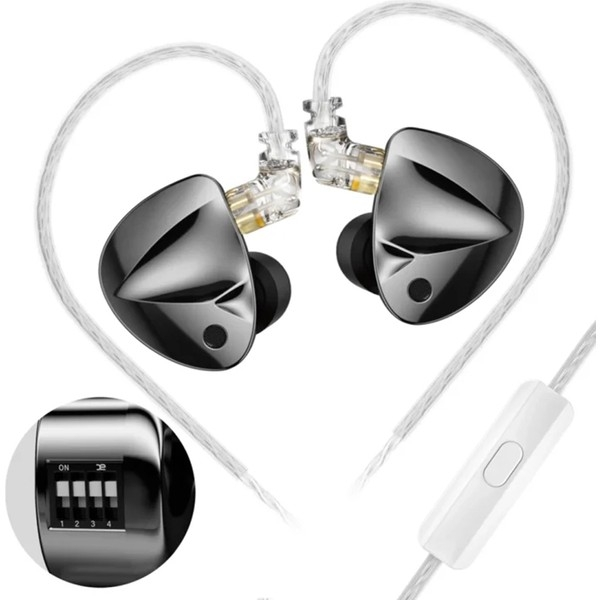
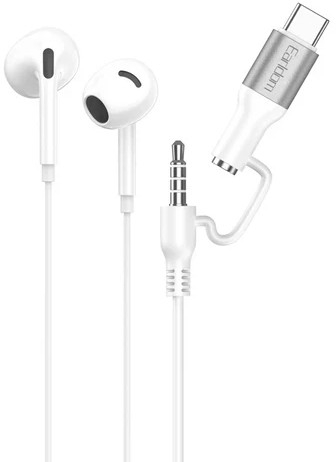
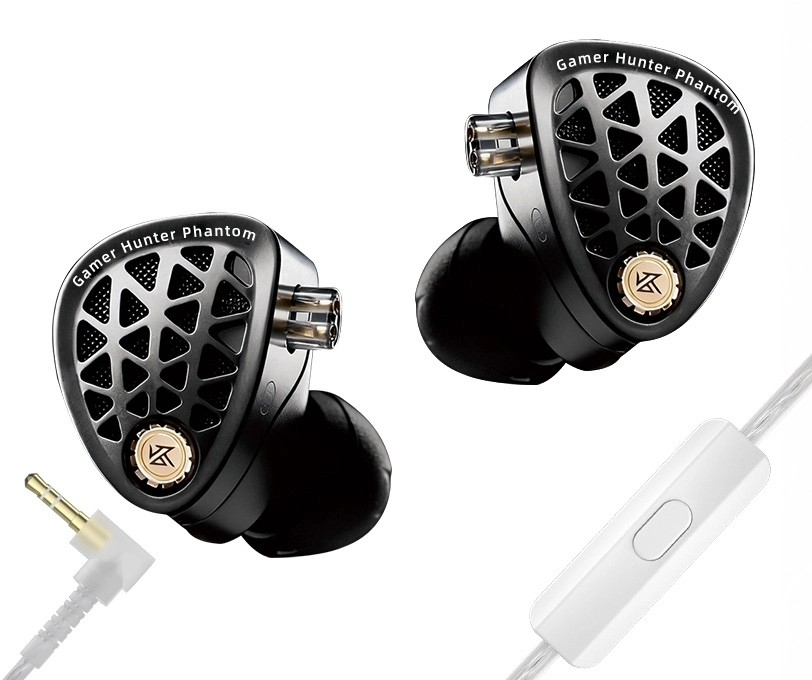
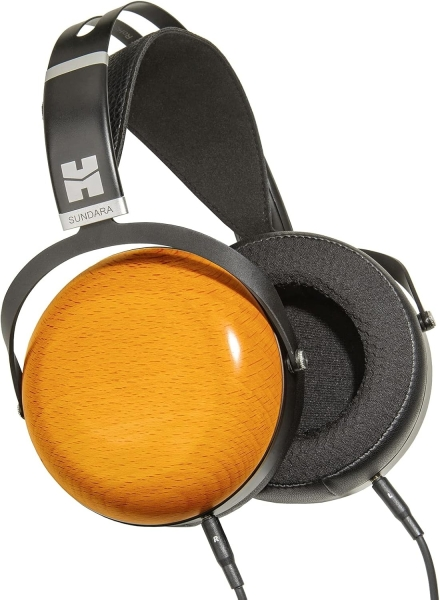
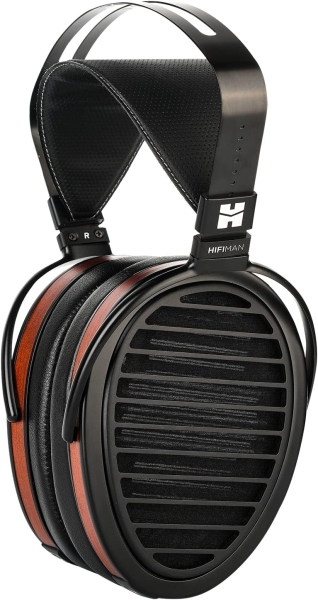
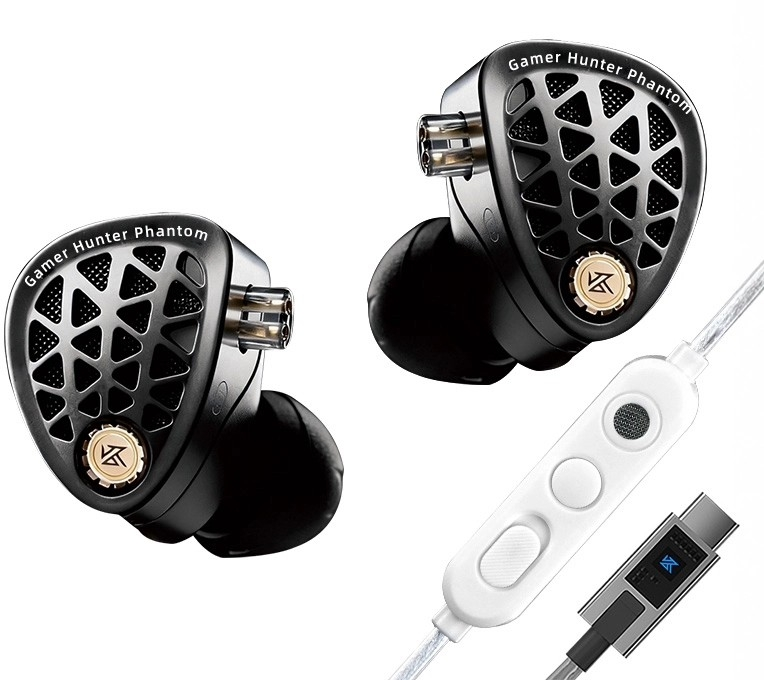
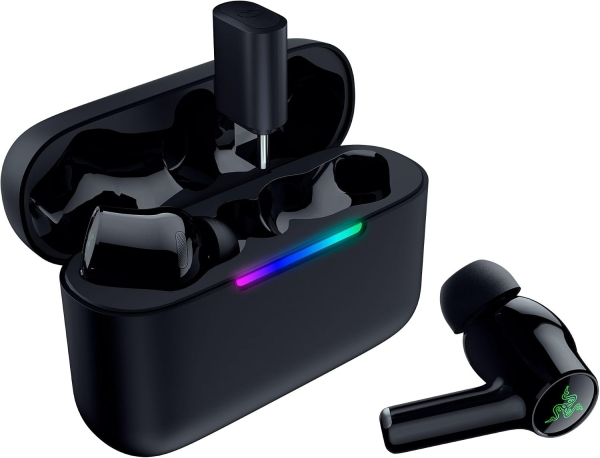
Anker markasının bu kategoride fiyatı listelenen 45 modeli var; kategorideki fiyatlı modellerin %3'ü bu markanın.
Özellikçe en yakın modeller: Philips SHE3595, Philips SHE3205 ve Rampage SN-R99 Elity.
Üretici bölümlerindeki metin ve görseller Anker markasına aittir; değiştirilmeden, kaynağı gösterilerek yayınlanır. Fiyatlar mağazalardan günlük toplanır; satın almadan önce satıcı sitesinde kontrol edin.